McAfee Scam Email in 2026: How to Spot the Fake Renewal & What to Do If You Clicked
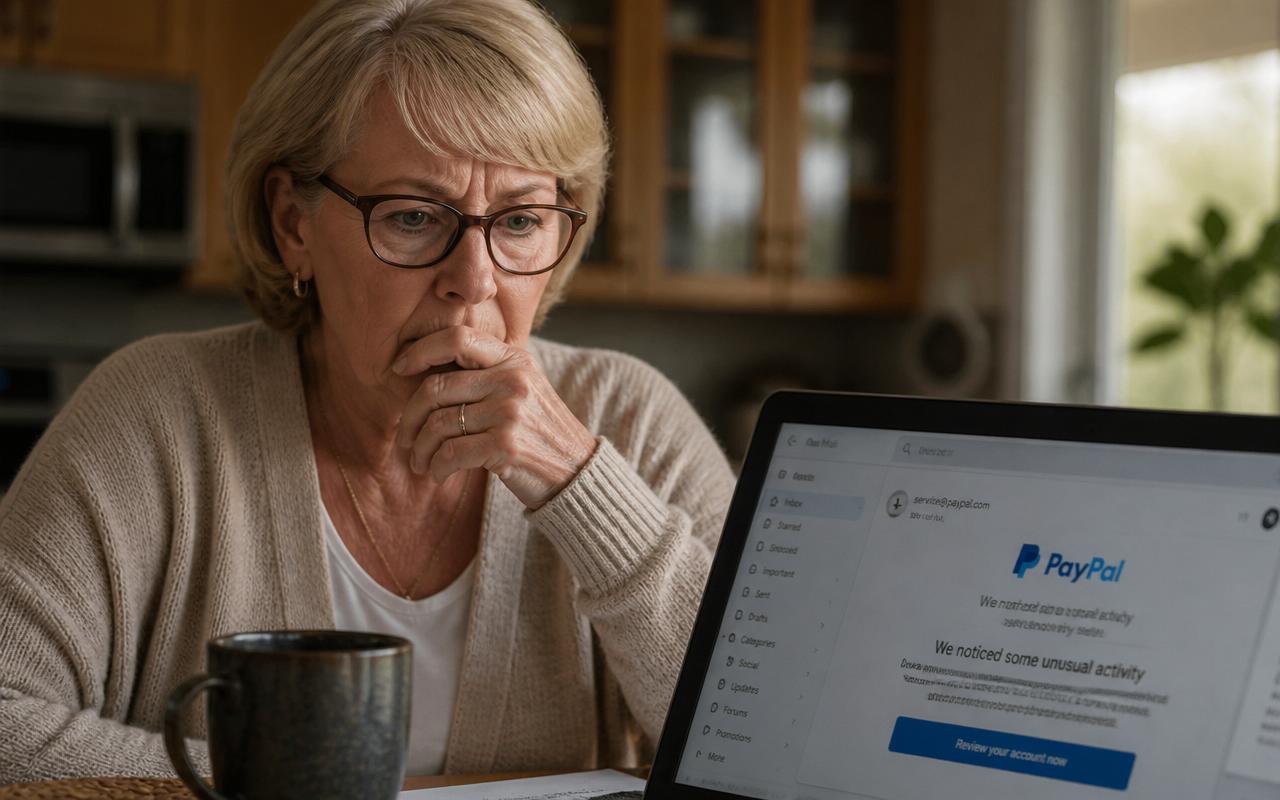
Got a McAfee renewal email you don't remember signing up for? Here's how to tell a real McAfee email from the scam — the exact phrases fake invoices use, the phone-call trap, and step-by-step what to do if you already called or paid.
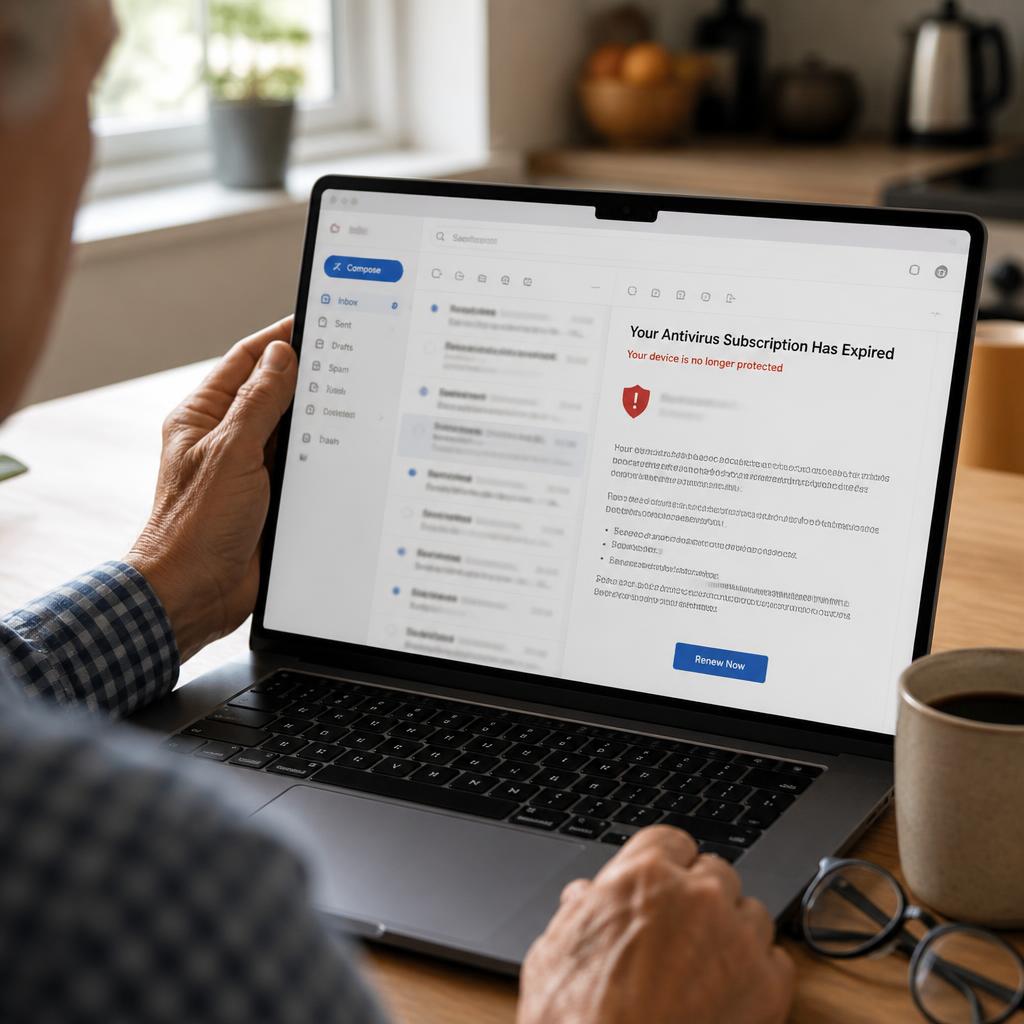
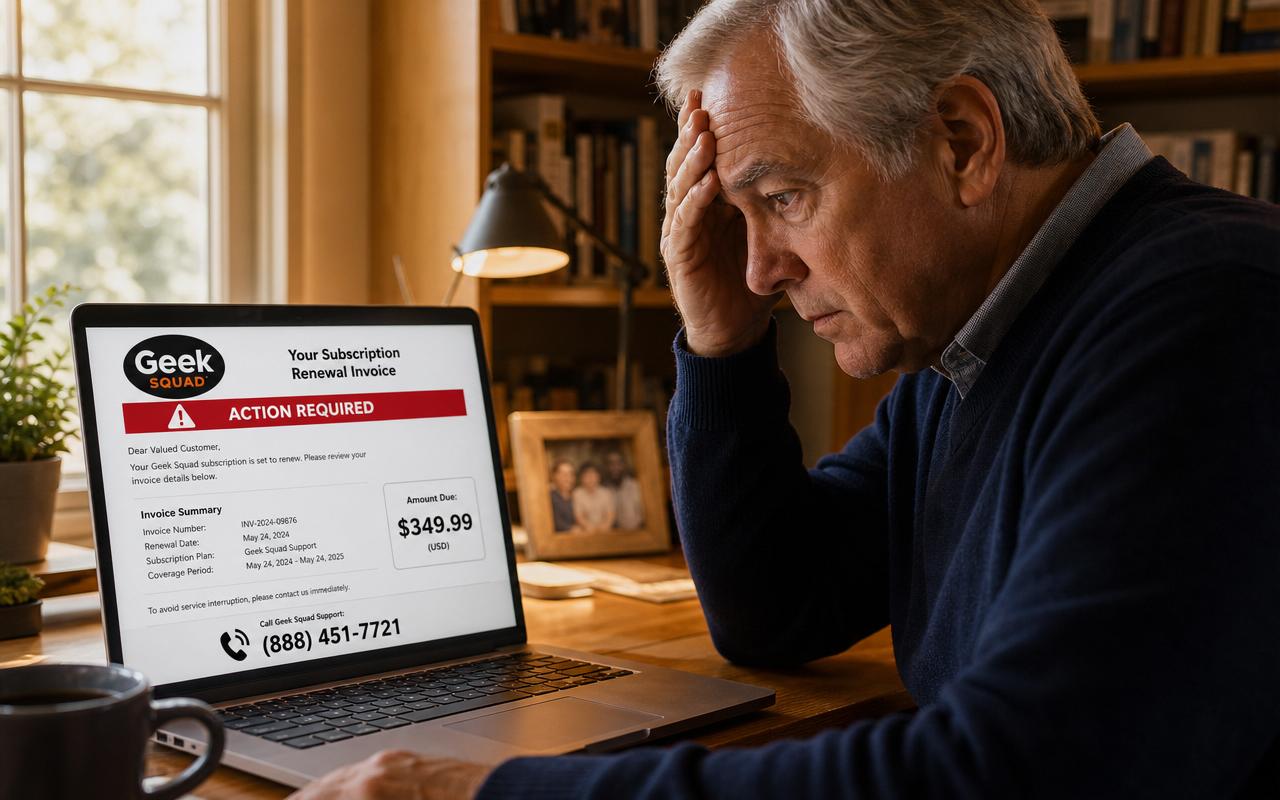
You open your email and there it is: a professional-looking invoice from 'McAfee' saying your antivirus just auto-renewed for $499.99. There's an order number, a shield logo, small print, even a toll-free phone number to call if you didn't authorize the charge. Your first thought is understandable — 'I never bought McAfee, I need to cancel this before it hits my card.' That's the whole scam. The email is fake, the charge doesn't exist, and the phone number connects you to a call center that will spend the next hour trying to drain your bank account.
The McAfee scam email is one of the most common scams targeting American retirees in 2026. The FBI's Internet Crime Complaint Center (IC3) says fake tech-support renewal emails cost seniors more than $175 million last year, with an average loss of about $17,000 per victim. This guide walks you through exactly how the scam works, the tell-tale signs in every fake email, how to check whether you actually have a McAfee subscription, and — if you already called that number — the exact steps to protect your money and identity today.
What is the McAfee scam email?
The McAfee scam email is a phishing message designed to look like an official invoice or renewal confirmation from McAfee, the well-known antivirus company. It usually claims you were just charged between $299 and $599 for a multi-year subscription you don't remember buying. The email includes a phone number — never a login link — and urges you to call within 24 hours to reverse the charge before it 'posts' to your account.
When you call, a friendly agent will 'confirm' the charge, then ask to install a remote-access tool (AnyDesk, TeamViewer, or UltraViewer) so they can 'process the refund on your screen.' Once they're in, they will either transfer money out of your bank account, ask you to buy gift cards for a 'refund overpayment,' or steal enough personal information to open new accounts in your name.
How the McAfee scam email works: the 5-step playbook
- You receive an email that looks like a McAfee invoice — logo, order number, itemized charges, taxes, everything.
- The subject line creates urgency: 'Order Confirmation,' 'Auto-Renewal Successful,' 'Your subscription has been activated,' or 'Payment received — $499.99.'
- There is no login link and no 'view order' button that goes to mcafee.com. Instead there is a support phone number.
- You call to cancel. The scammer confirms your 'account' and offers a refund — but says they need to connect to your computer to process it.
- Once inside your computer, they either wire money from your bank, blank your screen and ask you to buy gift cards for 'overpayment,' or install malware that keeps stealing after they hang up.
7 red flags that scream 'fake McAfee email'
- The sender address is not @mcafee.com. Look at the full email address (not just the display name). Real McAfee sends from @mcafee.com or @service.mcafee.com — never from Gmail, Outlook, iCloud, or a random misspelled domain like mcafee-billing.com or mcafeesupport.co.
- There is a phone number in the body. Real automated receipts never say 'call this number to cancel.' They send you to your online McAfee account.
- The price is oddly high — $299, $399, $499, or $599 — often for a 2-year or 3-year 'Premium' or 'Total Protection Ultimate' plan you never chose.
- There is no clickable link to your McAfee account, no invoice PDF from mcafee.com, and no way to log in.
- Urgency language: 'call within 24 hours,' 'charge will post tomorrow,' 'refund window closing.' Real billing is never this frantic.
- Generic greeting: 'Dear Customer' or 'Dear Valued Client' instead of your name. Real McAfee has your name on file.
- Spelling and grammar mistakes — extra spaces, odd capitalization ('Anti-Virus Protection'), or dollar amounts written without commas ($499.99 vs. $ 499,99).
The exact phrases in a fake McAfee email (real 2026 examples)
These are lines pulled from actual McAfee scam emails reported to the FTC in the last 90 days. If you see any of them, close the email and delete it — do not call, do not reply, do not click anything.
- 'Thank you for renewing your McAfee Total Protection subscription. Your account has been charged $499.99 for a 3-year plan.'
- 'If you did not authorize this transaction, please contact our billing department immediately at 1-8XX-XXX-XXXX to cancel and receive a full refund.'
- 'This charge will appear on your statement within 24 hours as MCF*SECURE.'
- 'For faster service, our support team can process your cancellation over the phone in under 5 minutes.'
- 'To avoid additional charges, please call before this notice expires.'
How to check if you actually have a McAfee subscription
This is the single most important step, and it takes 60 seconds. Do NOT click any link in the email and do NOT call the number. Instead:
- Open a new browser window and type mcafee.com by hand into the address bar.
- Click 'Sign In' in the top right corner. Log in with the email address the scam email was sent to.
- If no account exists — you don't have McAfee. The email is fake. Delete it.
- If an account exists, click 'My Account' → 'Subscriptions.' You will see every active plan and its real renewal price. If you don't see the charge from the email there, it never happened.
- Check your bank and credit card statements online for any charge from 'McAfee' or 'MCF' in the last 7 days. If there's no charge, there's no problem to fix.
What real McAfee emails actually look like
Knowing the real thing makes the fake easy to spot. A genuine McAfee renewal email has: your name in the greeting, a clickable 'View Order' button that goes to home.mcafee.com, the exact plan name you signed up for years ago, no phone number in the body, and a support link (not a phone number) that opens service.mcafee.com. That's it — no urgency, no threats, no 'call within 24 hours.'
What to do if you already called the number
Take a breath. Millions of retirees have made this exact call — you are not the first, and you can still stop the damage. Work through this checklist in order. Time matters most in the first hour.
- If they are still on the line, hang up. Do not explain, do not apologize, just hang up.
- If you gave them remote access to your computer, unplug it from the internet immediately (pull the ethernet cable or turn off Wi-Fi). Then power the computer off.
- Call your bank and credit card company from the number on the back of your card — not any number the scammer gave you. Ask them to freeze the account, reverse any pending transfers, and issue new cards.
- If you sent a wire transfer, call your bank's fraud department within 24 hours and specifically ask for a 'wire recall.' Success rate drops sharply after 24 hours.
- If you bought gift cards, call the gift card company's fraud line (numbers on the back of the card or on the retailer's website) and report the cards as stolen. Some money can be recovered if you call before the scammer redeems them.
- Take your computer to a local repair shop (Best Buy Geek Squad, a local independent, or your city's senior tech help program) and have them wipe and reinstall Windows or macOS. Do not just 'run a scan' — remote-access tools burrow deep and hide from antivirus.
- Change every password from a different, clean device — start with your primary email, then bank, then anything with the same password.
- Place a free fraud alert on your credit at annualcreditreport.com and consider a full credit freeze at experian.com, transunion.com, and equifax.com.
- Report to the FTC at ReportFraud.ftc.gov and the FBI at ic3.gov within 72 hours. This is what triggers the money-recovery process for any wires or crypto payments.
- Tell one trusted family member today. Not because you did anything wrong — because the same scammers often call back within a week pretending to be 'the recovery team' offering to get your money back for a fee.
The 'refund overpayment' twist — and why it costs the most
The most expensive version of this scam is the fake refund. After you call, the scammer pretends to issue your refund — but 'accidentally' types $49,000 instead of $499. They show you a fake bank screen with the extra deposit and beg you to send back the overpayment in gift cards or Bitcoin before they get fired. The money in your account never actually moved; they just made your online banking look different using the remote-access tool. Every gift card you buy is 100% loss. If someone on a screen asks you to buy gift cards to fix an overpayment, hang up — no legitimate company on Earth issues refunds via gift card.
Is my computer infected if I only opened the email?
Almost certainly not. Just opening a scam email is safe on any modern email service (Gmail, Outlook, iCloud, Yahoo). The danger starts when you click a link, download an attachment, or call the phone number and let someone connect to your computer. If all you did was open and read, delete the email and move on. Mark it as spam or phishing to help protect other people.
How to report the McAfee scam email
- Forward the full email to McAfee at phishing@mcafee.com — they use these to shut down the fake domains.
- Report to the FTC at ReportFraud.ftc.gov — takes about 3 minutes and helps law enforcement track patterns.
- In Gmail, click the three dots at the top right of the email → 'Report phishing.' In Outlook, click 'Report' → 'Phishing.' In Apple Mail, move it to Junk.
- If you lost money, also file at ic3.gov (FBI's Internet Crime Complaint Center) within 72 hours.
Why retirees are the #1 target for the McAfee scam
Three reasons scammers focus on people over 60: retirees are more likely to remember installing antivirus 'a long time ago' and think a renewal is plausible, they're more likely to pick up the phone and stay on the line, and they're more likely to have savings large enough to make one successful call worth the scammer's whole day. Being targeted is not a failure of judgment — it's the natural result of being a responsible person who takes bills seriously. The best defense is the one-line rule at the top of this article.
How to keep your email inbox safe from fake invoice scams
- Turn on your email provider's spam filter and 'enhanced phishing protection' if offered (Gmail and Outlook both have this in Settings).
- Hover over the sender name to see the real email address before you react to anything.
- Never call a phone number that appears inside an email — always look up the company's real number on their official website.
- Bookmark your real accounts (bank, McAfee, Amazon, PayPal) and only visit them through your bookmarks, never through email links.
- Keep a written list of every subscription you actually pay for, with the renewal price and month, so you can instantly spot a fake bill.
- Sign up for real-time scam alerts so you know which scripts are circulating this week — most retirees who spot the McAfee email had seen a warning about it in the previous 30 days.
Frequently asked questions
Are McAfee scam emails illegal?
Yes — sending phishing emails that impersonate a real company is wire fraud under U.S. federal law, punishable by up to 20 years in prison. That's why reporting to the FTC and FBI matters even if you didn't lose money: reports build the cases that eventually take down these call centers.
Does McAfee ever call you about a subscription?
No. McAfee does not make outbound calls to customers about billing, renewals, or 'virus alerts.' Any inbound call claiming to be McAfee is a scam — hang up and call the real number on mcafee.com if you have any doubt.
The email had my real name and address. How?
Scammers buy leaked data from old website breaches — Yahoo, LinkedIn, T-Mobile, and dozens more have all lost customer names, emails, and addresses in the last decade. Seeing your real name in a scam email does not mean the scammer hacked you; it means your name is on a list they bought for pennies. The email is still fake.
Can I get my money back after a McAfee scam?
Sometimes — but speed is everything. Credit card charges are the easiest to reverse (call within 60 days). Bank wires can occasionally be recalled if you act within 24 hours. Gift cards are the hardest but can sometimes be frozen if you call the issuer before the scammer redeems them. Bitcoin and crypto are almost never recoverable. Always report to ic3.gov within 72 hours — that's the window the FBI's asset recovery team needs.
What's the difference between McAfee and Norton scam emails?
Same scam, different logo. Norton, McAfee, Best Buy Geek Squad, and Microsoft Defender are the four most-impersonated brands in fake renewal emails targeting retirees. The playbook is identical: fake invoice, phone number in the body, remote-access request, refund overpayment. Once you know the pattern, you can spot all four.
Safe Retire Watch sends real-time alerts the moment new McAfee, Norton, and Geek Squad scam email scripts start circulating — including screenshots of the actual emails so you recognize the wording before it lands in your inbox. Join for $25/month with a 30-day money-back guarantee and protect your retirement savings today.
Paste a suspicious text or email — instant AI verdict.
Paste any URL before you click — free phishing check.
Stay informed with Safe Retire Watch
Essential starts at $12/month with weekly email scam alerts, the full alert library, and printable safety checklists. Protect is $25/month with real-time email and SMS alerts, Emergency Action Guides, and priority email support. Family Shield is $49/month for up to four family members. 30-day money-back guarantee.
- Encrypted, secure connection
- Payments processed by Stripe
- 30-day money-back guarantee
- Cancel anytime, no fees