Norton LifeLock Scam Email in 2026: How to Spot the Fake Renewal Invoice
Fake Norton and LifeLock renewal emails are one of the top impostor scams of 2026 — often $399 to $599 'auto-renewal' invoices with a phone number designed to trick you into installing remote-access software. Here's every red flag, the 6 scripts circulating right now, the only real Norton support numbers, and what to do in the first 24 hours if you already called or paid.

You open your email over morning coffee and there it is — a very official-looking 'invoice' saying your Norton 360 with LifeLock just auto-renewed for $499.99. There's an order number, a support phone number, sometimes even a PDF attached. Your stomach drops: you don't remember signing up for that. So you pick up the phone and call the number in the email to cancel. That single decision is exactly what the scam is engineered for — and it's the moment $499 turns into a $4,000, $40,000, or in a growing number of 2026 cases, six-figure loss.
The FBI's Internet Crime Complaint Center (IC3) now ranks 'tech-support / impostor refund' emails among the top three fastest-growing scam categories, with losses to Americans over 60 exceeding $590 million in the last reporting year alone. Fake Norton and LifeLock renewal emails are the single most common variant this year — because Norton is a real brand, LifeLock is a real product, and $499 sounds plausibly like something a spouse might have clicked 'Yes' on last year.
This guide walks you through the exact anatomy of the 2026 Norton scam email, every red flag inside the PDFs and phone scripts, the only real Norton support numbers, and — if you already called — the first-24-hour recovery checklist that has helped Safe Retire Watch members claw back the majority of their money.
How the Norton LifeLock email scam actually works
The scam is a three-stage funnel. Understanding all three stages is what makes the red flags obvious in the future, even if the wording of the email changes month to month.
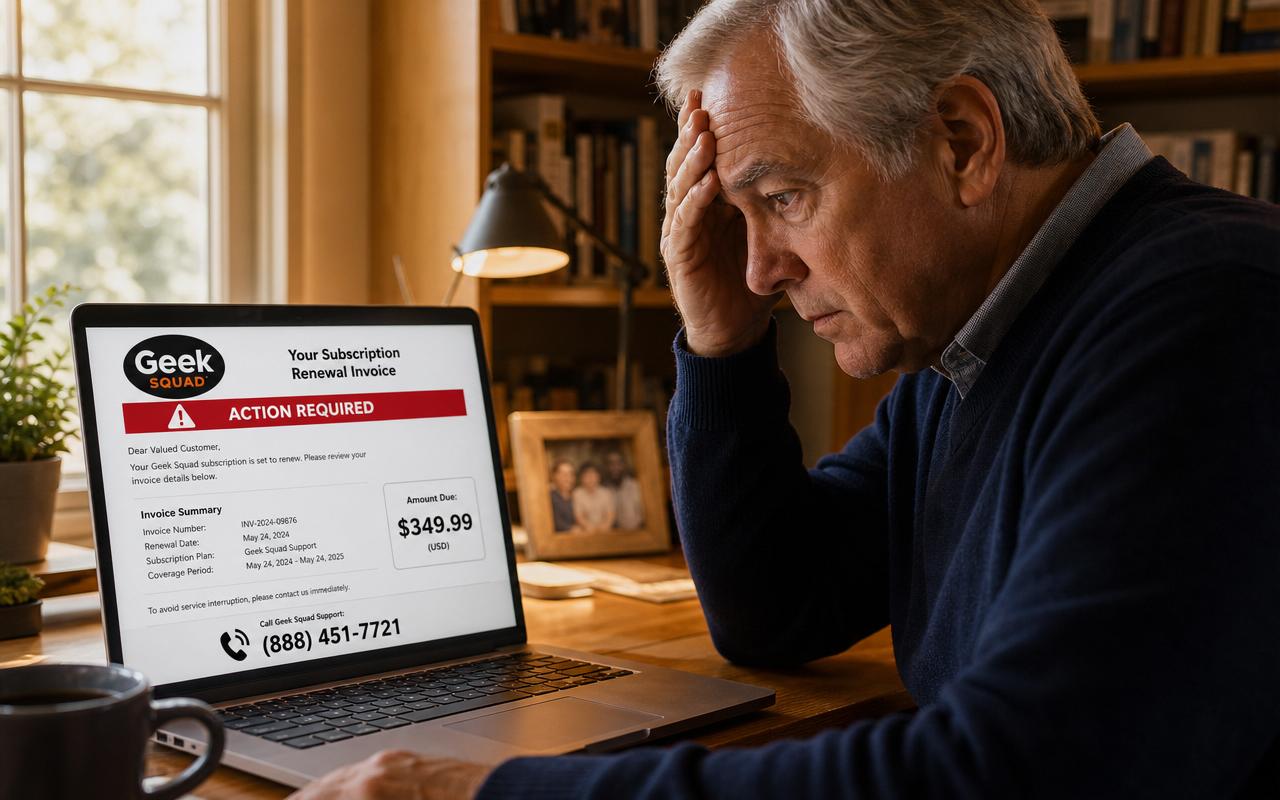
- Stage 1 — the bait email. A convincing 'Thank you for your subscription' or 'Auto-renewal confirmation' arrives from a spoofed sender name like 'Norton LifeLock Billing' or 'NortonLifeLock Support Team.' It shows a fake invoice number, a $299–$599 charge, and — critically — a US-looking phone number with instructions to call within 24 hours to 'cancel or dispute.'
- Stage 2 — the phone call. A polite 'agent' with an American accent apologizes for the charge and offers a full refund. To 'process' it, they ask you to install a small program so they can 'connect to your bank securely.' That program is AnyDesk, TeamViewer, UltraViewer, LogMeIn Rescue, or Zoho Assist — all real remote-access tools that give them total control of your screen and keyboard.
- Stage 3 — the drain. Once connected, they open your online banking, 'accidentally' type $49,999 instead of $499 into the refund field, and panic: 'You need to send the extra back in gift cards or a wire, or I'll lose my job.' Meanwhile the on-screen number is fake HTML they overlaid — no refund ever happened. You just wired away real money.
That's it. The whole scam. Everything below is red flags for stopping it at stage 1 — because after you call the number, the odds turn sharply against you.
7 red flags in every fake Norton LifeLock email
- Unexpected charge. You don't have (or don't remember having) an active Norton or LifeLock subscription. Log in at my.norton.com in a fresh browser tab — if there's no active plan, the email is fake.
- Wrong price. Real 2026 Norton 360 plans run roughly $39.99 to $149.99 per year. LifeLock Ultimate Plus tops out around $349.99. Anything showing $399, $499, $549, or $599 is scam bait — those specific numbers are chosen to feel painful enough that you'll pick up the phone.
- A phone number in the body. Real Norton receipts link you back into your account. They do not include 'Call 1-8xx-xxx-xxxx within 24 hours to cancel.' Scam emails always do — because the phone is where the money moves.
- PDF invoice attached. Norton emails receipts as inline HTML. Scammers attach PDFs because PDFs slip past most link-scanning filters and let them format the fake invoice pixel-perfect. If a 'Norton' email has an attached PDF, it's a scam.
- Sender address doesn't match norton.com. Look closely: nortan-billing.com, nortonlifelockbilling.info, nortonteam-support@gmail.com, subscription-norton@icloud.com. Real Norton sends from @norton.com or @nortonlifelock.com — never from Gmail, iCloud, Yahoo, or a look-alike domain.
- Urgency and short deadlines. 'Call within 24 hours or the charge cannot be reversed.' Real billing systems don't work this way — you have 60 to 180 days to dispute a legitimate charge with any US card issuer.
- No mention of your real name. Legitimate Norton receipts use the name on the account. Scam versions use 'Dear Valued Customer,' 'Hello,' or your email address as the greeting because the scammer has no idea who you actually are.
The 6 fake Norton scripts circulating in 2026
Every fake Norton email in the wild right now is a variation on one of these six templates. If any of them lands in your inbox, screenshot it and text it to your kids or grandkids before doing anything else.
1. The 'Auto-Renewal Confirmation' invoice
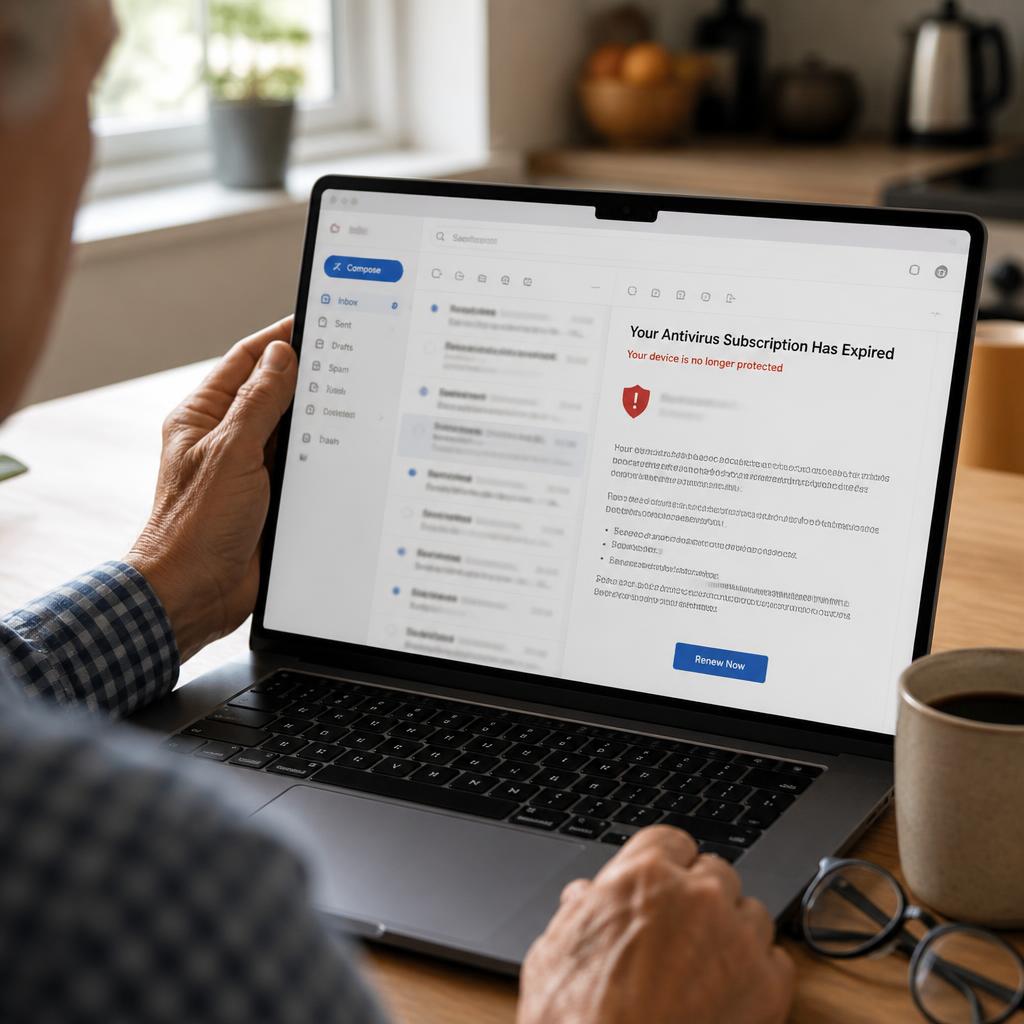
The most common variant. Subject line: 'Your Norton 360 subscription has been renewed — Order #NL-2026-XXXXXX.' Body shows a $499.99 charge already 'debited,' with an urgent tone and a call-to-cancel number. Almost always includes an attached PDF that mirrors real Norton branding.
2. The 'LifeLock Ultimate Upgrade Notice'
Targets recent Norton customers whose emails leaked in past data breaches. Claims you were 'auto-enrolled in LifeLock Ultimate Plus' for $549 because of 'suspicious activity on the dark web.' Plays on real fear of identity theft.
3. The 'Unauthorized Device Alert'
Subject line: 'A new device has been added to your Norton account.' Says a login from Russia, Nigeria, or 'unrecognized location' triggered a security lock, and to secure the account you must call the included number immediately. This is the same trap wrapped in a different fear.
4. The SMS / text version
'NORTON: Your subscription has been auto-renewed for $399.99. To cancel, call 1-8XX-XXX-XXXX.' Sent from an iMessage-only address or a foreign country code so replies don't bounce back. Norton never sends billing texts to numbers you didn't register.
5. The 'Refund Recovery' follow-up
Sent 2–5 days after the first scam. Claims to be Norton's 'Refund Department' or the FTC contacting victims who 'may have overpaid,' asking for banking info to process reimbursement. This is the scammer double-dipping — a full 40% of victims are scammed a second time within a month, according to the FTC.
6. The fake tech-support pop-up
Not an email at all — a full-screen browser pop-up with alarm sounds saying 'Norton has detected 5 viruses. Call 1-8XX-XXX-XXXX immediately.' Same scam, different delivery. Norton does not put phone numbers in browser pop-ups. Ever. Press Ctrl+W (Windows) or Cmd+W (Mac) to close, or restart the browser.
What happens if you call the number
This is where every senior loses the ability to protect themselves — because everything the 'agent' says sounds reasonable in the moment. Here is the exact playbook they run so you can recognize it if you ever hear it.
- Step 1: They 'confirm' the charge and offer a full refund, immediately. Trust is established.
- Step 2: 'To process the refund, we need to connect securely to your bank. Please go to anydesk.com and give me the 9-digit code that appears.' AnyDesk gives them your entire screen and keyboard.
- Step 3: They log into your online banking with you watching, 'to enter the refund.' In reality they're initiating a wire or Zelle transfer out of the account.
- Step 4: They type $49,999 in a field, then panic: 'Oh no, I typed too many zeros. My supervisor will fire me. Please, please send the extra $49,500 back in Target gift cards / wire / crypto — I'll lose my job.' The 'overage' never actually landed in your account — it was HTML they overlaid on your screen.
- Step 5: You buy the gift cards, read them the codes, or send the wire. They vanish. Total elapsed time: 20–60 minutes.
The only real Norton and LifeLock support numbers
Bookmark these somewhere your parent or you can reach in a panic. Do not trust any number in an unsolicited email — always start by typing norton.com into your browser.
- Norton member support (US): 1-855-815-2726 — listed on norton.com/support after sign-in.
- LifeLock member services (US): 1-800-543-3562 — listed on lifelock.com after sign-in.
- Norton account: sign in at my.norton.com to see every real subscription and charge tied to your account.
- Never trust a number in the body of an unsolicited email, PDF, or text. Type norton.com or lifelock.com into a fresh browser tab yourself.
First 24 hours if you already called or paid
The next 24 to 72 hours matter more than everything that comes after. Move calmly and in this exact order — every step is free, and each one dramatically improves the odds of getting your money back.
- If you installed remote-access software (AnyDesk, TeamViewer, UltraViewer, LogMeIn, Zoho): disconnect the computer from the internet, then have a trusted family member or real tech uninstall it and run Malwarebytes or Windows Security. Do not use that computer for banking again until it's clean.
- Call your bank's fraud line and every card issuer whose cards the scammer could see. Freeze the cards, dispute any pending or completed charges under Regulation E, and ask for a new card number. Chase: 1-800-935-9935. Bank of America: 1-800-432-1000. Wells Fargo: 1-800-869-3557. Citi: 1-800-950-5114. Capital One: 1-800-227-4825. Discover: 1-800-347-2683. Amex: 1-800-528-4800.
- If you sent gift cards, call the retailer's fraud line and read them the card numbers immediately — Target, Apple, Google Play, and Amazon can sometimes freeze the balance if the scammer hasn't spent it yet. Then keep the physical cards and the receipts.
- Change your email, bank, and Norton account passwords — from a different device the scammer never touched. Turn on two-factor authentication (2FA) on all three.
- Freeze your credit at all three bureaus (free, 5 minutes each): Equifax 1-800-685-1111, Experian 1-888-397-3742, TransUnion 1-888-909-8872. This stops new accounts opened in your name.
- File reports: FBI IC3 at ic3.gov, FTC at reportfraud.ftc.gov, and your state Attorney General. If you're over 60, also call the National Elder Fraud Hotline at 1-833-372-8311 for a free DOJ case manager.
- Forward the original scam email to Norton at spam@nortonlifelock.com and to the FTC at reportfraud.ftc.gov — this helps their fraud teams shut down the sending domain and warn other customers.
How to spot the next fake renewal email in 30 seconds
Once you know the pattern, you can screen any future 'renewal' email — from Norton, McAfee, Best Buy Geek Squad, Amazon Prime, or any other big brand — with the same 5-check habit. Teach it to your parents and put it on the fridge.
- Log in yourself at the brand's real website in a fresh tab — never through a link in the email. If there's no active subscription, the email is fake.
- Check the sender's full email address, not just the display name. Look for a look-alike domain.
- Check the price against the brand's real 2026 pricing page. $299–$599 is almost never real for consumer antivirus.
- Look for a call-to-cancel phone number in the body — real receipts do not have one.
- Never open the PDF attachment. Never call the number. Delete, report, and move on.
Free tools to catch the next one
Safe Retire Watch has three free AI tools built specifically for this exact scam pattern. Paste the message and get a plain-English verdict in seconds — free account, no credit card.
- Scam Check — paste any suspicious email or text and get an instant AI verdict on whether it's a scam.
- Link Check — paste any URL before you click it and get a safety report powered by phishing databases.
- Email Explainer — paste a suspicious email and get a line-by-line breakdown in plain English, with every red flag highlighted.
The bottom line
Fake Norton LifeLock emails are engineered by full-time criminal call centers to look exactly like the real thing. You do not have to out-clever them — you just have to build one habit: never call a phone number from an unsolicited billing email. Log in to the real brand's website yourself. That single habit stops the scam every time, whether it's dressed up as Norton, McAfee, Geek Squad, Apple, or the next brand they clone next month. Share this guide with the retirees in your life — a five-minute read tonight can save them fifty thousand dollars tomorrow.
Frequently asked questions
- Is the Norton LifeLock renewal email a scam?
- If the email arrived unexpectedly, shows a charge of $299–$599 for Norton 360, LifeLock, or a 'Norton Ultimate' plan you don't remember buying, and pushes you to call a phone number to 'cancel' or 'dispute' the charge, it is a scam 100% of the time. Real Norton receipts come from norton.com or nortonlifelock.com, never include a call-to-cancel phone number in the body, and never ask you to install AnyDesk, TeamViewer, or UltraViewer. When in doubt, don't call the number in the email — open a browser yourself and go to my.norton.com to check your actual subscription.
- What is the real Norton customer service number?
- The only official Norton member support number is 1-855-815-2726 in the US, and it is only listed on norton.com/support after you sign in. Norton's LifeLock member services number (also on the official site after sign-in) is 1-800-543-3562. Any 'Norton support' number pasted into an email, PDF, or text is a scam. Always type norton.com directly into your browser to find current support contact info — never trust a number in an unsolicited email.
- I called the number in the Norton email — what should I do now?
- Move within 24 hours. (1) If you installed AnyDesk, TeamViewer, UltraViewer, LogMeIn, or any remote-access software, disconnect from the internet immediately, then have a trusted tech-savvy family member or a real tech help them uninstall it and run Windows Security or Malwarebytes. (2) Call your bank and every card issuer, freeze the cards you gave numbers for, and dispute any charges under Regulation E. (3) Change your email, bank, and Norton account passwords from a different device the scammer never saw. (4) Freeze your credit at all three bureaus (Equifax, Experian, TransUnion) — it's free and takes 5 minutes each. (5) Report at ic3.gov and reportfraud.ftc.gov.
- Why do fake Norton emails always ask me to call a phone number?
- Because a phone call is the only place the scam actually works. In email, filters can flag suspicious links and any attempt to send money looks strange. On the phone, a live 'agent' can walk a stressed senior through installing remote-access software, opening online banking 'to process the refund,' and then either transferring money out or claiming they 'accidentally refunded too much' and demanding gift cards to make it right. The email is just the bait — the trap is the call.
- How can I tell a real Norton renewal receipt from a fake one?
- Five checks in 30 seconds. (1) Sender: real receipts come from an @norton.com or @nortonlifelock.com address, not from Gmail, iCloud, or a look-alike like nortan-billing.com. (2) Price: real 2026 Norton 360 plans range roughly $39.99 to $149.99/year, not $399–$599. (3) No phone number in the body of a real receipt — Norton links you back to your account. (4) Log in yourself at my.norton.com — if there's no active subscription, the email is fake. (5) Attachments: real receipts don't come as PDF invoices; scam ones almost always do because PDFs bypass link filters.
- Will Norton refund me if the scammer already took money?
- Norton itself has nothing to refund because Norton never charged you — the scammer did, through your bank or Zelle or gift cards. Your recovery path is with your card issuer or bank under Regulation E (unauthorized transactions) or Regulation Z (credit-card chargebacks), both of which have been strengthened for senior-impersonation scams in the last 18 months. Wires and Zelle are the hardest to recover; gift cards are second hardest but can sometimes be frozen if you call the retailer within 24–48 hours. Speed is everything.
Paste a suspicious text or email — instant AI verdict.
Paste any URL before you click — free phishing check.
Stay informed with Safe Retire Watch
Essential starts at $12/month with weekly email scam alerts, the full alert library, and printable safety checklists. Protect is $25/month with real-time email and SMS alerts, Emergency Action Guides, and priority email support. Family Shield is $49/month for up to four family members. 30-day money-back guarantee.
- Encrypted, secure connection
- Payments processed by Stripe
- 30-day money-back guarantee
- Cancel anytime, no fees