Tech Support Scam in 2026: The Fake Microsoft/Apple Pop-Up That Empties Senior Bank Accounts
A red 'Microsoft Security Alert' pop-up locks your screen. A calm voice on the other end of the 1-800 number says your bank account is being drained by hackers in Russia — and the only way to save it is to move your money 'into a safe account' or buy $8,000 in Apple gift cards. This is the tech support scam, the #1 fraud losing U.S. seniors over $175 million a year. Here is exactly how the fake pop-up works, the 12 red flags that give every version away, and step-by-step what to do if you already gave remote access, wired money, or handed over gift card numbers.

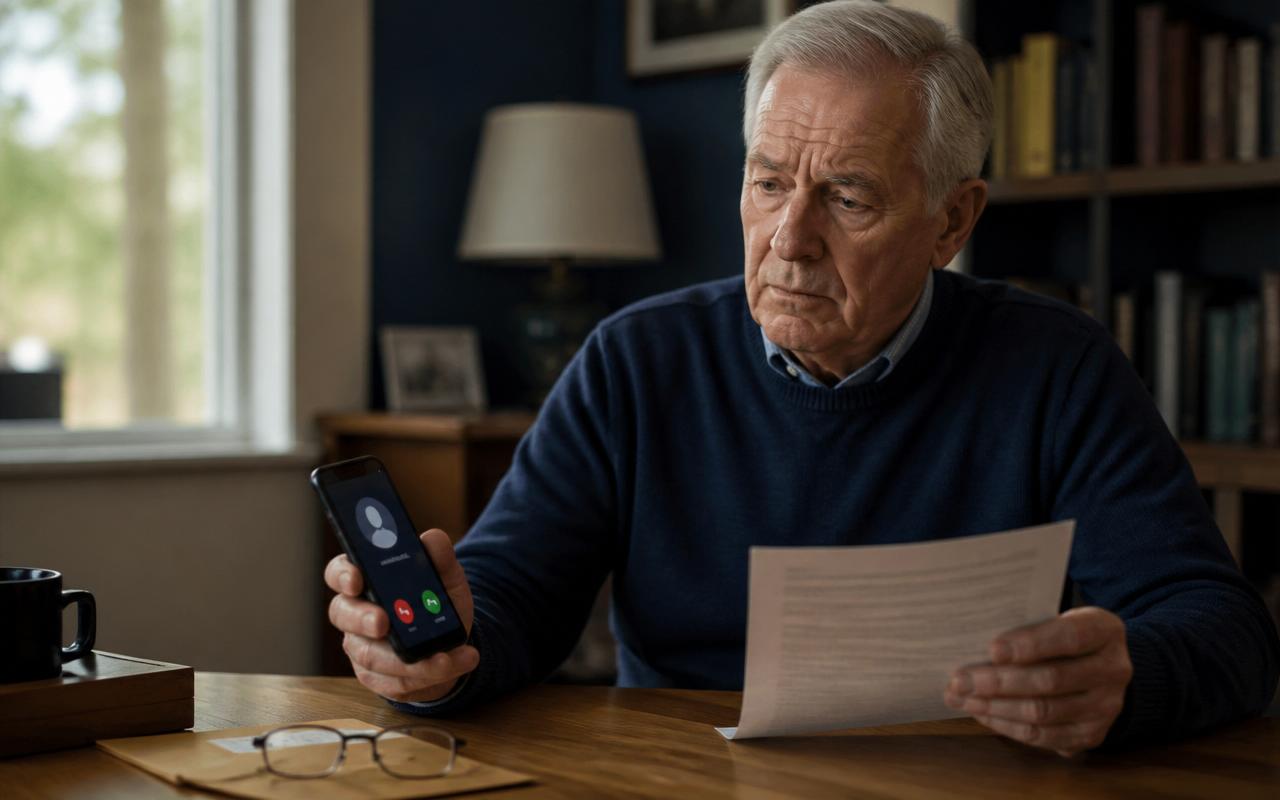
It usually starts on a quiet afternoon. Your mother is reading her email or checking a recipe when the whole screen suddenly turns bright red. A siren blares from the speakers. A pop-up with the Microsoft logo warns: 'CRITICAL SECURITY ALERT — Your computer has been infected with the Zeus virus. Your bank information is being stolen right now. Do NOT turn off your computer. Call Microsoft Support immediately at 1-888-XXX-XXXX.' A countdown timer ticks down from 5:00.
She calls. A polite man with a slight accent answers 'Microsoft Certified Technical Support.' Twenty minutes later he has remote-access software on her laptop, has shown her fake screens 'proving' Russian hackers are inside her Chase account, and has transferred her to a 'bank fraud specialist' who is walking her to the nearest CVS to buy $8,000 in Apple gift cards to 'protect' her savings.
This is the tech support scam. In 2024 it stole $982 million from Americans 60 and over, per the FBI's Internet Crime Complaint Center — more than any other single elder-fraud category. In 2025 losses crossed $1.1 billion. This guide shows exactly how the scam works, the 12 red flags that give every version away, and the hour-by-hour recovery plan if it already happened to someone in your family.
How the tech support scam actually works (step by step)
Every version of this scam follows the same 6-stage script. Recognizing the stages is what breaks the spell.
Stage 1 — The pop-up (or the cold call)
Version A (pop-up): You are browsing normally. You click a mistyped URL, a bad ad on an otherwise-legitimate site, or a link in a scam email. Suddenly a full-screen browser tab opens with flashing red banners, sirens, a Microsoft or Apple logo, a fake 'blue screen of death,' and a phone number. Sometimes it locks the mouse and keyboard using a JavaScript trick — pressing Esc or Ctrl+W does nothing.
Version B (cold call): The phone rings. Caller ID shows 'Microsoft Support' or 'Apple Care' — spoofed. A calm voice says 'This is Microsoft. Our servers show your computer has been sending spam and we need to remove the virus before your ISP disconnects you.'
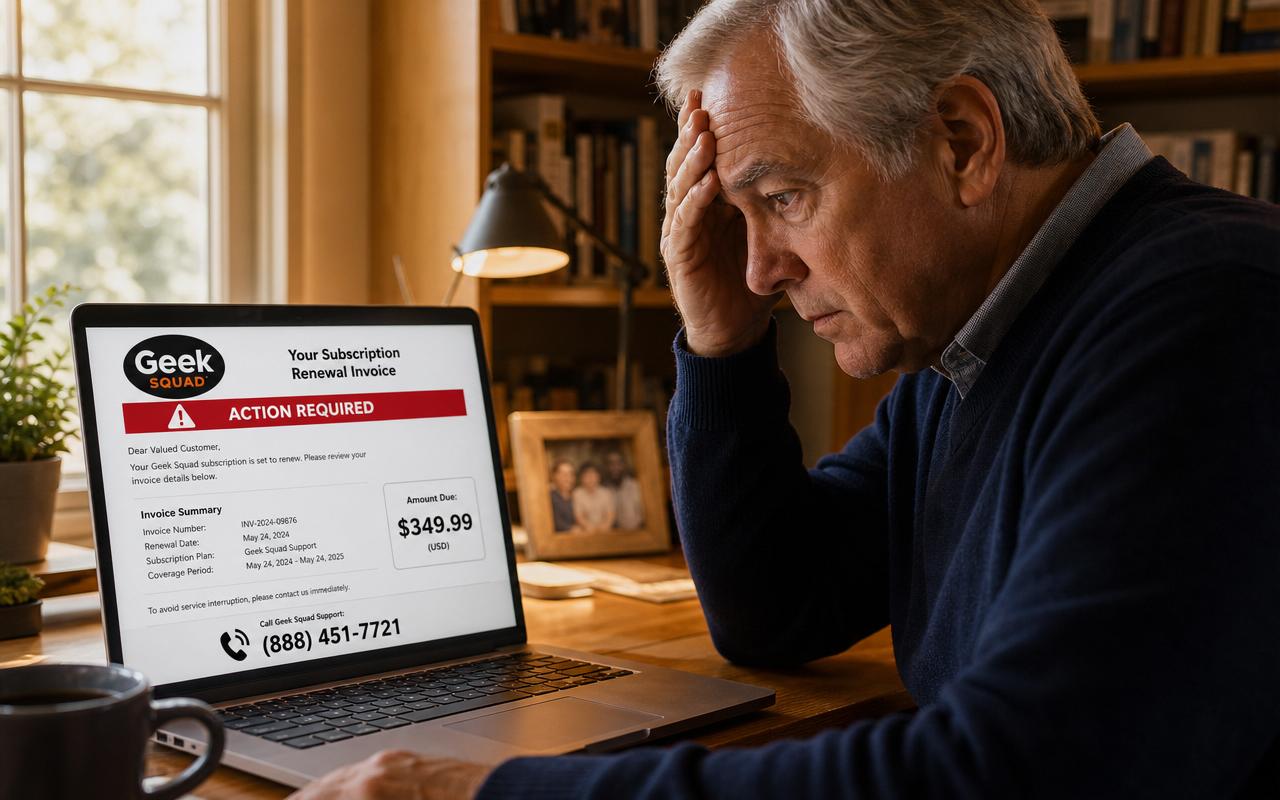
Version C (the callback): The scammer sends an email — 'Your Norton auto-renewal of $499.99 was successful' or 'Geek Squad Total Protection renewed for $389.' It has a 1-800 number 'to cancel.' You call the number to dispute the charge. Now they have you on the phone, and Stage 2 begins.
Stage 2 — The 'diagnosis'
The scammer asks you to open a specific website — sometimes anydesk.com, ultraviewer.net, teamviewer.com, or a shortener like bit.ly/microsoft-help — and enter a 9-digit code. That code gives them remote control of your screen and mouse.
Once in, they run a series of harmless-but-scary-looking commands: 'eventvwr' (Event Viewer, which shows normal system warnings that look terrifying to a non-technical user), 'netstat' (which lists network connections and 'proves' foreign hackers are connected), and 'tree c:\' (which floods the screen with file names that look like 'stolen data'). They circle the scariest lines and say 'See? Your Social Security number is being stolen right now.'
Stage 3 — The transfer to 'your bank'
'Ma'am, this is serious. I need to transfer you to our banking security team — DO NOT hang up, DO NOT tell anyone what is happening. If you tell your bank or your family, the hackers will empty your account before we can stop them.'
You are placed on hold. The same call center picks up under a different name — 'Federal Trade Commission Fraud Division,' 'Chase Fraud Protection,' or 'U.S. Treasury.' This is the isolation stage. The single most important thing a scammer does is convince you that talking to your bank teller, your kids, or the police will make things worse.
Stage 4 — The 'safe account' story
The fake bank agent explains that hackers have compromised every account in your name and the ONLY way to save your money is to move it to a 'safe federal receiving account' or convert it to 'untraceable' gift cards or Bitcoin so the criminals cannot follow it. They walk you to your bank, coach you on what to say to the teller ('Say it is for a home renovation, or they will delay the transfer'), and stay on the phone with you the entire time.
Common variations: Wire the money to a 'U.S. Marshal-controlled account.' Withdraw cash and deposit it into a Bitcoin ATM at a specific gas station. Buy $500 in Apple, Google Play, or Target gift cards at five different stores 'so hackers do not detect the pattern' and read the numbers over the phone.
Stage 5 — The second and third hits
A week later the same scammers (or a partner crew who bought your file) call back as 'the FTC recovery unit,' saying they have located the criminals and can get your money back — for a 'court fee' of $2,000 in gift cards. This is the reload scam, and it hits over 40% of first-time victims. The rule: once you have been scammed, assume every unsolicited 'we can help you recover' call for the next 24 months is the same crew.
Stage 6 — The cover-up
Before they hang up, they may install a keylogger, a hidden AnyDesk instance, or a scheduled task that reopens their remote-access tool every time the computer boots. This is why running an antivirus scan is not enough — the compromised computer needs a full operating system reinstall.
12 red flags of a tech support scam (every version has at least 5)
- A browser pop-up or a phone call is telling you your computer has a virus. Real antivirus software never does this.
- The alert includes a phone number to call. Real Microsoft, Apple, and Windows Defender warnings NEVER include phone numbers.
- The pop-up locks your screen, plays a siren, or shows a countdown timer. Legitimate warnings are silent and dismissible.
- The 'technician' asks you to download AnyDesk, TeamViewer, UltraViewer, LogMeIn, ScreenConnect, Splashtop, or Zoho Assist. No legitimate company uses these to fix consumer viruses.
- You are asked to type Windows commands (eventvwr, netstat, cmd, tree) so they can 'show you the infection.' Legit techs do not do console tours to prove viruses.
- The tech asks to see your bank account, brokerage, or crypto wallet 'to verify no money was stolen.' Never a legitimate request.
- You are told to keep the call secret from family, bank tellers, or police 'because the hackers are watching.' This is 100% scam isolation language.
- You are asked to pay in gift cards (Apple, Google Play, Target, eBay, Steam), Bitcoin ATM deposits, wire transfers, or Zelle to a stranger. Zero legitimate refunds or fees are ever paid this way.
- The caller ID shows 'Microsoft,' 'Apple,' 'FBI,' 'FTC,' or your bank — but caller ID is trivially spoofable and means nothing.
- You are told to move money to a 'safe federal account,' a 'U.S. Marshal account,' or a 'Treasury holding account.' No such thing exists.
- The pop-up misspells 'Microsoft' as 'Micosoft,' 'Windows' as 'Windwos,' or the URL is anything other than microsoft.com / apple.com / windows.com.
- You are pressured to act in the next 5, 10, or 15 minutes. Every real fraud department gives you time to hang up and call the number on the back of your card.
The 5 most common 2026 tech support scam scripts
Script 1 — 'Microsoft Windows Defender' pop-up
Full-screen red page with the Microsoft logo, a Windows Defender shield, and text: 'Access to this computer has been blocked for security reasons. Contact Microsoft Support: 1-888-XXX-XXXX. Please do not shut down or restart your computer, doing that may lead to data loss and identity theft.' Often reached by clicking a bad ad or mistyping a URL.
Script 2 — 'Apple iCloud has been compromised'
Robocall or Siri-like automated voice on your iPhone: 'This is an important message from Apple Support. Your iCloud has been breached. To prevent your data from being erased, press 1 to speak to an Apple advisor.' Press 1 and a live person picks up. Real Apple never calls you.
Script 3 — Fake Norton / McAfee / Geek Squad renewal receipt
Email arrives: 'Thank you for renewing your Norton 360 subscription. Amount: $499.99. If you did not authorize this, call 1-855-XXX-XXXX to cancel.' You never had Norton. You call to cancel. They 'refund' you $5,000 instead of $500 'by mistake' and ask you to send back the difference in gift cards. It was never real money.
Script 4 — 'Your Amazon account was used to buy an iPhone'
Robocall: 'A recent purchase of $1,299 was made on your Amazon account for an iPhone shipped to Ohio. To dispute, press 1.' Press 1 and 'Amazon security' transfers you to 'the FTC' who tells you your identity is being used for money laundering and you need to move your savings to a safe account. Amazon does not do this.
Script 5 — 'The Social Security Administration has suspended your number'
Robocall claiming your SSN is being used in drug trafficking in Texas and you must call back to protect your benefits. Real SSA never suspends numbers, never calls to warn about crimes, and never asks for money or gift cards. (See our full Social Security scam guide.)
Why retirees are the #1 target
Three reasons scammers optimize for people over 60: retirees are more likely to be home during business-hour scam calls; they often have decades of savings in a single checking account (the scammer's dream — one wire drains the whole nest egg); and they were taught to respect authority figures who identify themselves as 'from the government' or 'from your bank.' The FBI reports the average loss for a senior tech support scam victim is $18,650 — six times the loss for victims under 40.
First hour after a tech support scam: the recovery checklist
Step 1 — Disconnect the computer (2 minutes)
Unplug the Ethernet cable. Turn off Wi-Fi. Do not use that computer for anything sensitive until it has been wiped. Do not just close AnyDesk — it may be set to auto-restart.
Step 2 — From a different device, lock down email first (10 minutes)
Grab a phone, tablet, or another laptop. Change your primary email password (Gmail, Outlook, Yahoo). Turn on two-factor authentication. This is priority #1 because your email is the reset key to every bank and brokerage login.
Step 3 — Call every bank and card issuer (30 minutes)
Use the number on the back of the card, never a number the scammer gave you. Tell them: 'I was the victim of a tech support scam within the last 24 hours. Please freeze all accounts, cancel my debit and credit cards, and initiate a recall on any wire transfers or Zelle payments I sent today.' Ask for the fraud case number in writing.
Step 4 — Gift cards: call the issuer's fraud line (20 minutes)
- Apple gift cards: 1-800-275-2273 (say 'gift card scam')
- Target GiftCards: 1-800-544-2943
- Walmart gift cards: 1-888-537-5503
- Google Play: 1-855-836-3987
- Amazon gift cards: 1-888-280-4331
- eBay gift cards: 1-866-961-9253
- Best Buy: 1-888-237-8289
- Steam: report at help.steampowered.com
Have the card numbers and store receipts ready. If the scammer has not spent the balance yet, the issuer can freeze it — recovery rate above 60% inside 6 hours, under 5% after 48 hours.
Step 5 — Bitcoin ATM deposits (15 minutes)
Call the ATM operator immediately: Bitcoin Depot 1-678-435-9604, CoinFlip 1-773-800-0106, Coinhub 1-702-900-2646, RockItCoin 1-888-702-4826. File a report at ic3.gov the same day. Illinois, Vermont, Nebraska, Arizona, California, and a growing list of states now require ATM operators to attempt reversal on verified senior-victim reports if reported within 30 days.
Step 6 — Freeze credit at all three bureaus (10 minutes, free)
- Equifax: 1-800-685-1111 or equifax.com/personal/credit-report-services
- Experian: 1-888-397-3742 or experian.com/freeze
- TransUnion: 1-888-909-8872 or transunion.com/credit-freeze
Step 7 — File the three official reports (20 minutes)
- FTC: ReportFraud.ftc.gov — generates an FTC Identity Theft Report you will need for banks and creditors
- FBI IC3: ic3.gov — the FBI Internet Crime Complaint Center; required for any wire, crypto, or gift card loss over $500
- Local police non-emergency line — get a police report number; some banks require it for reimbursement
- State Attorney General consumer protection division — search 'YOUR STATE attorney general consumer complaint'
Step 8 — Wipe the compromised computer
An antivirus scan is NOT enough. Remote-access tools like AnyDesk and hidden scheduled tasks routinely survive Windows Defender and Malwarebytes scans. The computer needs a full Windows 11 reset ('Reset this PC → Remove everything → Local reinstall') or macOS reinstall via Recovery Mode. Take it to Best Buy Geek Squad, a local computer shop, or a tech-savvy family member. Budget $150–$250 or a Saturday afternoon.
Step 9 — Watch for the reload scam
For the next 24 months, every unsolicited call claiming to 'recover your lost money' — from the 'FTC Recovery Unit,' 'DOJ Asset Recovery,' a 'private investigator,' a 'blockchain recovery firm' — is the same crew or a partner crew who bought your file. Real recovery is free, works only through banks/law enforcement, and never asks for an upfront fee.
How to prevent it before it happens
On the computer
- Turn on browser pop-up blocking. Chrome: Settings → Privacy → Site Settings → Pop-ups → Block. Safari: Preferences → Websites → Pop-up Windows → Block. Edge: Settings → Cookies and permissions → Pop-ups → Block.
- Uninstall AnyDesk, TeamViewer, UltraViewer, LogMeIn, ScreenConnect, Splashtop, and Zoho Assist if they are on the machine and you did not personally install them for a real reason.
- Use Windows Defender (built into Windows 10/11) or built-in macOS XProtect — both are free and better than 90% of paid antivirus. Do not pay for the 'Norton' or 'McAfee' popping up in a browser.
- Bookmark real support numbers ahead of time: Microsoft 1-800-642-7676, Apple 1-800-275-2273. If a pop-up ever appears, use the bookmark, not the pop-up.
On the phone
- Enable 'Silence Unknown Callers' (iPhone: Settings → Phone → Silence Unknown Callers) or your carrier's free spam-blocking app (AT&T ActiveArmor, Verizon Call Filter, T-Mobile Scam Shield).
- Register at donotcall.gov — will not stop scammers but removes legitimate telemarketers so real spam sticks out.
- Save YOUR (adult child's) number in the parent's phone as 'A — Call Me Before Sending Money.' Alphabetizes to the top of the contact list.
The family rule
Post this on the fridge, in 24-point type: 'If ANY message on my computer or phone tells me to call a number, wire money, buy gift cards, or move money — I call [family member] FIRST, no matter how urgent it sounds. If they are wrong, I lose 10 minutes. If they are right, I save my retirement.'
Free tools that stop tech support scams in 30 seconds
Safe Retire Watch runs three free, no-signup AI tools designed for exactly this scenario:
- Scam Message Checker — paste the pop-up text, email, or robocall transcript. Instant verdict in plain English.
- Link Safety Checker — paste any URL from a pop-up or email before clicking. Free phishing check.
- Phone Number Reputation Checker — paste the 1-800 number from the pop-up. Instant reputation lookup.
Bookmark all three on the parent's home screen. Free forever. No email required.
The bottom line
Tech support scams work because they combine three things every retiree was raised to trust: a screen that looks official, a voice that sounds professional, and urgency that feels real. Break any one of those three and the scam collapses. Cover the pop-up. Hang up the phone. Call a family member. Every dollar of the $1.1 billion stolen from seniors in 2025 could have been saved by pausing for 60 seconds and dialing a real person first.
If it already happened to someone in your family: the checklist above is designed to be worked top-to-bottom, tonight. Print it. Follow it. And forgive yourself, or forgive them — this scam has fooled retired FBI agents, former CFOs, and computer science professors. It is not a story about intelligence. It is a story about a criminal industry that spent 15 years perfecting a script.
Safe Retire Watch sends real-time alerts when new tech support scripts start circulating in your state — usually 3–6 weeks before local news picks them up. It costs less than a Netflix subscription and covers both parents and adult children on one plan. 30-day money-back guarantee.
Frequently asked questions
- Is a Microsoft or Apple security alert pop-up ever real?
- No. Real Microsoft, Apple, Google, Norton, and McAfee software never puts a phone number in a browser pop-up and never asks you to call anyone to fix a virus. Real security warnings appear inside the application (Windows Defender, macOS Notification Center, your antivirus tray icon) — they never lock your screen with sirens, flashing red banners, or a countdown timer, and they never say 'Call 1-800-…' The moment you see a phone number in a virus warning, it is 100% a scam. Microsoft, Apple, and every legitimate tech company publicly state this: they will never make unsolicited calls, never ask for remote access to fix a virus, and never demand payment in gift cards, wire transfers, cryptocurrency, or cash-through-a-Bitcoin-ATM.
- What happens if I called the number on the pop-up?
- You reached a criminal call center — usually operating out of India, Pakistan, or the Philippines. The 'technician' will ask to install remote-access software (AnyDesk, TeamViewer, UltraViewer, LogMeIn, Splashtop) so they can 'scan' your computer. Once they are in, they show you fake logs of 'foreign hackers,' claim your bank account is being emptied, then transfer you to a fake 'bank fraud specialist' who tells you to move your savings to a 'safe federal account' — usually by wire, cash deposit into a Bitcoin ATM, or gift cards. If you only spoke to them and did NOT let them onto your computer or send money, hang up, disconnect from Wi-Fi, restart the computer, run Windows Defender or your antivirus, and change important passwords from a different device. If you did give them access or send money, jump to the recovery steps below — every hour matters.
- How much do seniors lose to tech support scams?
- Per the FBI's 2024 Internet Crime Report (the most recent), Americans aged 60+ lost $982 million to tech support scams — the largest single category of elder fraud, with an average loss of $18,650 per victim. Losses in 2025 tracked even higher because scammers combined tech support fraud with the 'government impersonation' twist (they claim to be from the FTC or FBI after the fake Microsoft call). Total losses to seniors from tech support fraud crossed $1.1 billion in 2025.
- I let them onto my computer. What do I do now?
- Assume they still have access and possibly installed hidden backdoors. Move fast, in this order: (1) Unplug the computer from Ethernet and turn off Wi-Fi immediately. (2) Do NOT use that computer for banking, email, or anything sensitive until it is wiped. (3) From a DIFFERENT device (a phone, tablet, or a family member's laptop), change your email password first, then every bank, brokerage, PayPal, Venmo, Zelle, Amazon, and Social Security 'my Social Security' password. Turn on two-factor authentication everywhere. (4) Call every bank and credit card company on the back of your card — tell them 'I was a tech support scam victim, please freeze the account and issue new cards.' (5) Place a free fraud alert and credit freeze at Equifax (1-800-685-1111), Experian (1-888-397-3742), and TransUnion (1-888-909-8872). (6) Take the compromised computer to Best Buy Geek Squad, a local repair shop, or a family member who knows computers — it needs a full Windows/macOS reinstall (a virus scan alone is not enough; remote-access tools survive antivirus scans). (7) File reports at ReportFraud.ftc.gov and ic3.gov (FBI).
- I already sent money or bought gift cards. Can I get it back?
- Sometimes, if you act within hours. Gift cards: call the card issuer's fraud line immediately (Apple 1-800-275-2273, Target 1-800-544-2943, Walmart 1-888-537-5503, Google Play 1-855-836-3987, Amazon 1-888-280-4331) with the card numbers and receipts — if the scammer has not spent them yet, they can freeze the balance. Wire transfers: call your bank's wire recall department within 24 hours; recovery rates jump above 60% inside the first 12 hours and drop to under 10% after 48 hours. Bitcoin ATM deposits: call the ATM operator (Bitcoin Depot 1-678-435-9604, CoinFlip 1-773-800-0106) plus your local police non-emergency line and file at ic3.gov the same day — a growing number of states now require ATM operators to attempt reversal on senior-victim reports. Bank transfers to a 'safe account': call your bank's fraud department in the first hour; those transfers can often be reversed if flagged before the receiving account withdraws them.
- How do I protect my elderly parents from tech support scams going forward?
- Three settings, one family rule. (1) On their computer, turn on browser pop-up blocking (Chrome: Settings → Privacy → Site Settings → Pop-ups and redirects → 'Block'; Safari: Preferences → Websites → Pop-up Windows → Block). (2) Install a real antivirus (Windows Defender that comes free with Windows 11 is enough; on Mac, macOS built-in XProtect is enough) — do NOT buy the 'McAfee' or 'Norton' popping up in the browser. (3) On their phone and computer, save YOUR number as 'Real Family — Call Me First' as the top contact. Family rule: 'Before you call any 1-800 number from a pop-up, email, or text — call me first.' Then add Safe Retire Watch's free scam-check tool as a bookmark on their home screen so they can paste any pop-up text or number and get an instant verdict.
Paste a suspicious text or email — instant AI verdict.
Paste any URL before you click — free phishing check.
Stay informed with Safe Retire Watch
Essential starts at $12/month with weekly email scam alerts, the full alert library, and printable safety checklists. Protect is $25/month with real-time email and SMS alerts, Emergency Action Guides, and priority email support. Family Shield is $49/month for up to four family members. 30-day money-back guarantee.
- Encrypted, secure connection
- Payments processed by Stripe
- 30-day money-back guarantee
- Cancel anytime, no fees